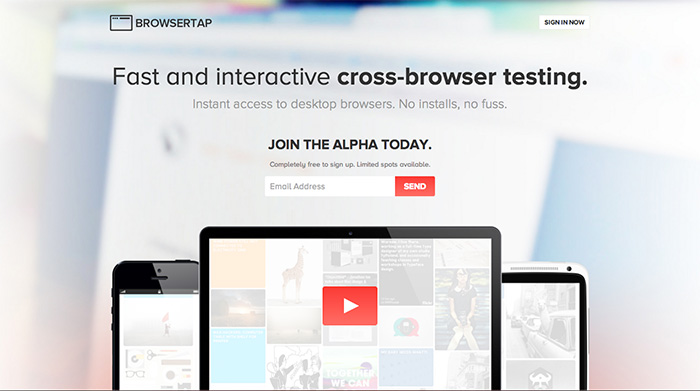
Browser Tap

BrowserTap

Has anyone had the opportunity to use BrowserTap; the new cross-platform, cross-browser testing platform? Based on the intro video it looks almost too good to be true. I mean, listen to this pitch!
Forget VMs, screenshot services, or dedicated testing computers. BrowserTap works by broadcasting a live RTMP stream of a browser window on a cloud server. Your keyboard and mouse commands are relayed to the server, live, allowing you to test web layouts in realtime.
Yes, please! via Kevin.

Comments

  • We're using http://www.browserstack.com, which appears to be a very similar service & out of beta. Is super nice because you can tunnel traffic to your local webserver via their Java applet.
    Jeffery on Wednesday, January 16th, 2013 @ 8:22am
  • This is very similar to http://www.crossbrowsertesting.com, which also does local webserver testing. CBT's interface isn't the best, but the product is solid.
    Casey on Wednesday, January 16th, 2013 @ 8:30am
  • Thanks for post! I'm the developer & co-founder of BrowserTap. We're trying to build something I hope is actually a bit fun to use. I've had a terrible habit of actually testing websites across multiple browsers (I'm lazy), and I wanted to build something I could integrate into my workflow. A few things that separate BrowserTap from similar applications: 1. You can run as many browsers as you want, side-by-side (no-one else does). We plan to implement live reloads (similar to LiveReload, or CodeKit), so you can make changes, and see those changes popup in all browsers you have running *without* needing to physically reload them. 2. We built the remote desktop software from the ground up to ensure playback is fast, responsive, and actually feels a pretty native. 3. No limits to desktop resolution! You can resize your window to whatever you want. 4. BrowserTap doesn't lock you into a single window. If you want to keep Web Inspector / Firebug / Dragonfly (within BrowserTap) out of chrome for instance, you can do that, as well as ay other popup. Here's a demo: tiny.ec/M7tB  5. Super minimal UI. It's just you & the browser you're testing in. 6. You can test localhost. We're rolling out a desktop application that doesn't require any setup. Run it, and it'll allow BrowserTap to open localhost. Ultimately, we're trying to blur the lines between what native browser you're running & the one you're running within BrowserTap, so testing websites for cross-browser compatibility seems like a natural process.
    Craig on Wednesday, January 16th, 2013 @ 10:35am

Add Comment

URLs will be autolinked
 
c Send Comment